
Layout preview
General
In this article you will learn how to preview a layout. To view this interactively in a web browser for a defined layout, you have two options.
On all devices of a project
- click on the menu item Home.
- here you will find an overview of all projects.
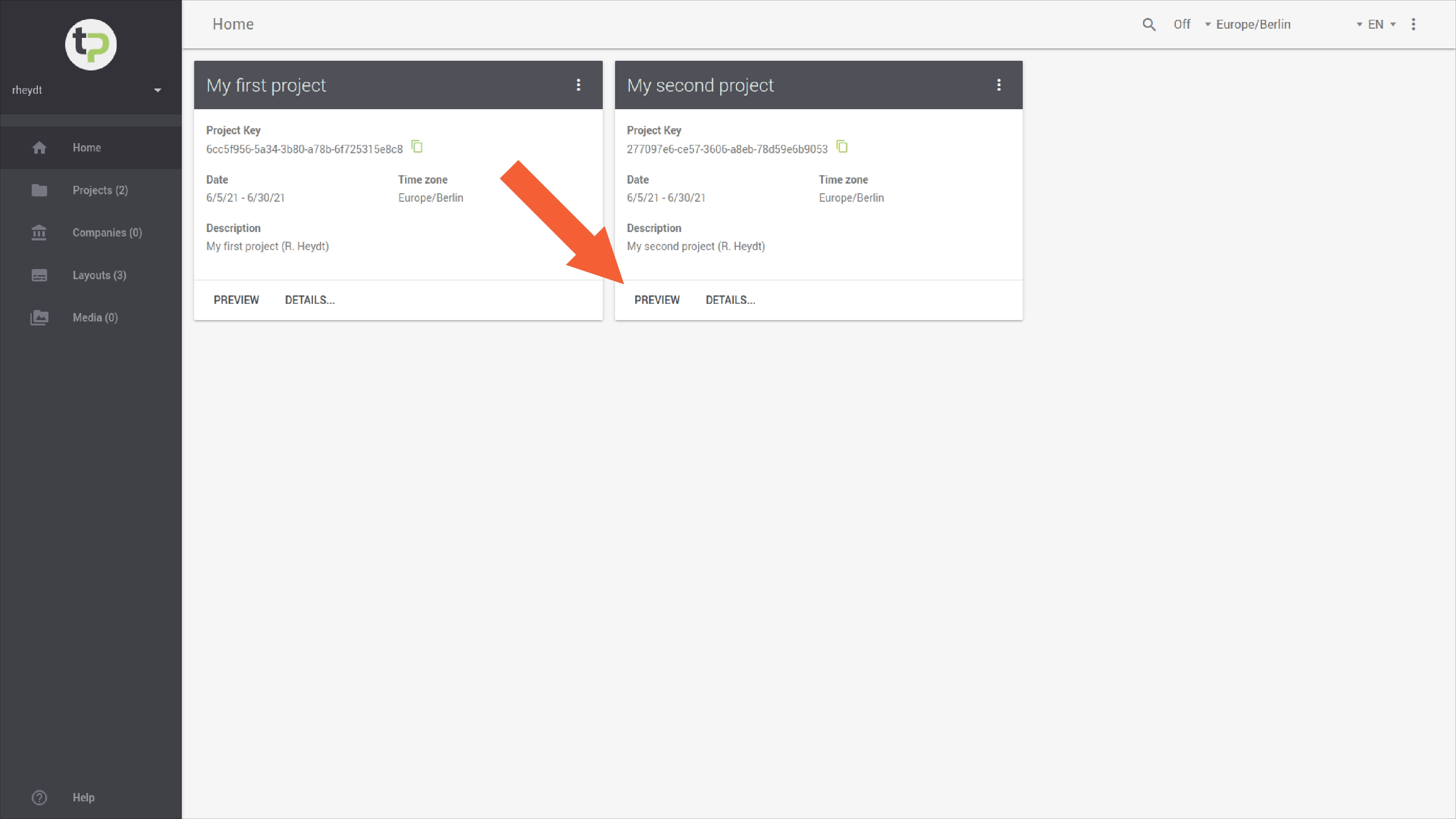
- click on
PREVIEWto switch to the live preview for all configured presentation devices. - a new window opens in your web browser. In this window, all configured presentation devices are displayed with their respective names.
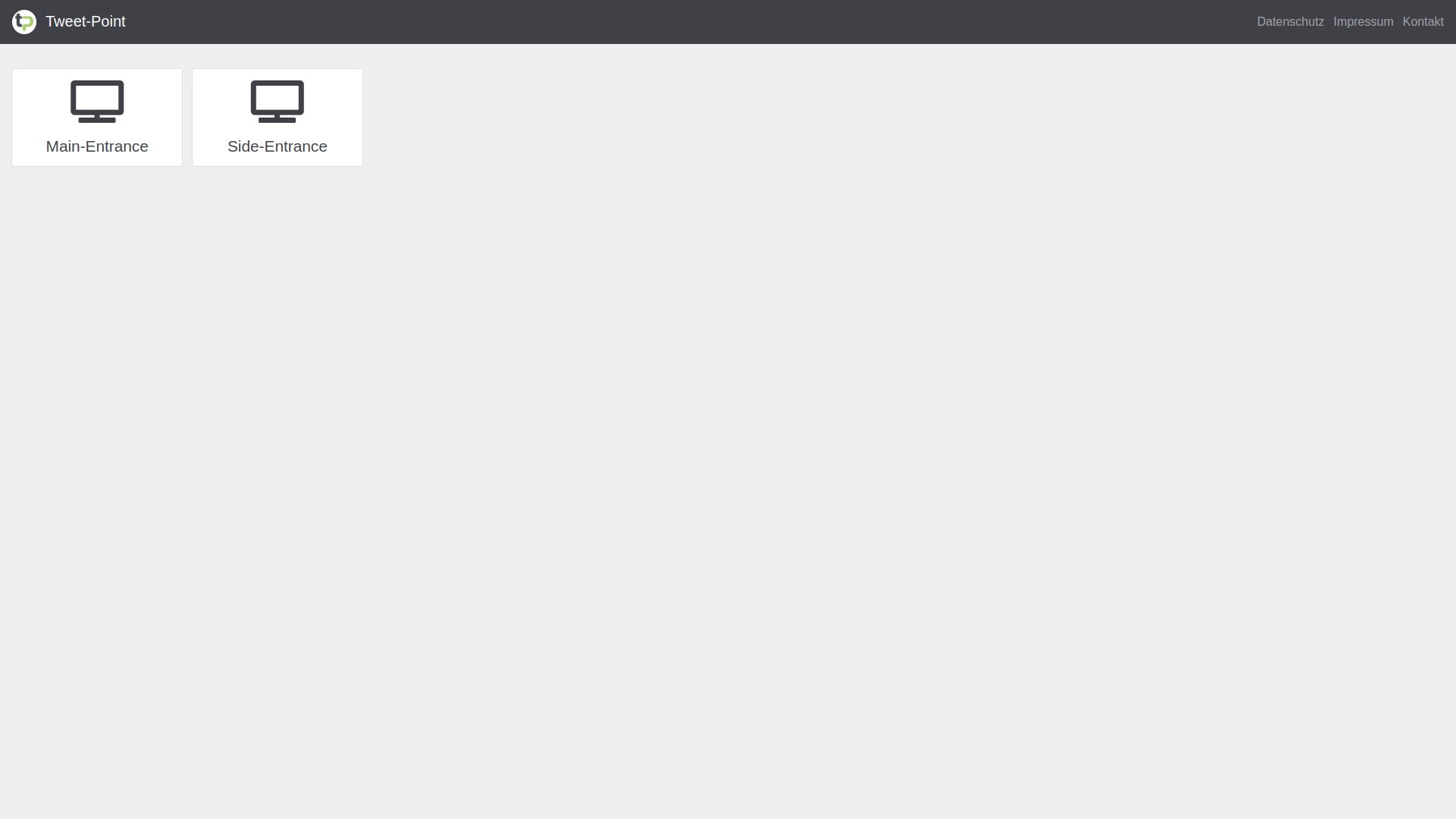
- Clicking on the respective device tile will then take you to the live preview of the respective presentation device.
On a device of a project
- click on the menu item project.
- here you will find an overview of all presentation devices.
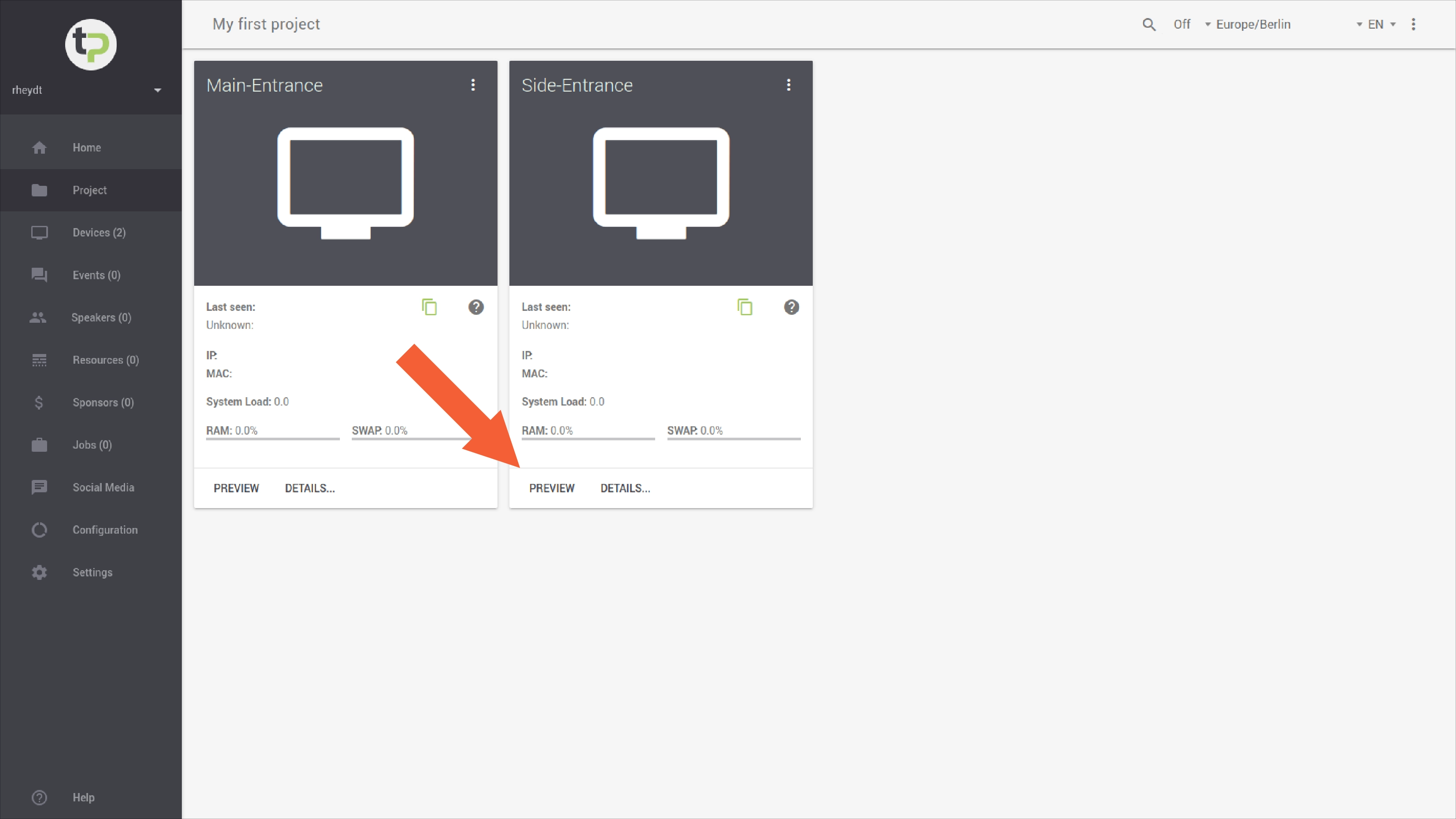
- click
PREVIEWto switch to the live preview for the corresponding presentation device. - a new window will open in your web browser. In it, you will see the configured layout for the respective presentation device.
Note:
- If possible, use a modern, i.e. up-to-date browser. This ensures that the layout can be displayed correctly and with high performance.
- The following browsers are currently recommended for previewing a layout and supported by our support team:
- Mozilla Firefox (
≥80) - Microsoft Edge (
≥80) - Google Chrome (
≥80)
- Mozilla Firefox (