Colorful Bytes GmbH - SupportColorful Bytes GmbH - Support
Share share
Imprint
  • Deutsch
  • English
Share share
Imprint
  • Deutsch
  • English
  • Common

    • helpFAQ
  • Essentials

    • Management UI
    • folder_openProject management
    • perm_mediaMedia management
    • tvPresentation equipment
    • previewLayout preview
    • messageSocial media
    • subtitlesLayout management
    • account_balanceCompany management
  • Event-Management

    • supervisor_accountSpeakers
    • forumEvents
    • line_styleQR codes
    • attach_moneySponsors
    • workJob offers
  • Hardware

    • computerMini PC setup
    • dvrDisplay settings
    • wifiInternet connection

Display settings dvr

In this article, you will learn how to adjust the display settings of the display connected to the preconfigured mini-PC.

  • Adjusting the display resolution
  • Setting the screen orientation

Adjusting the display resolution

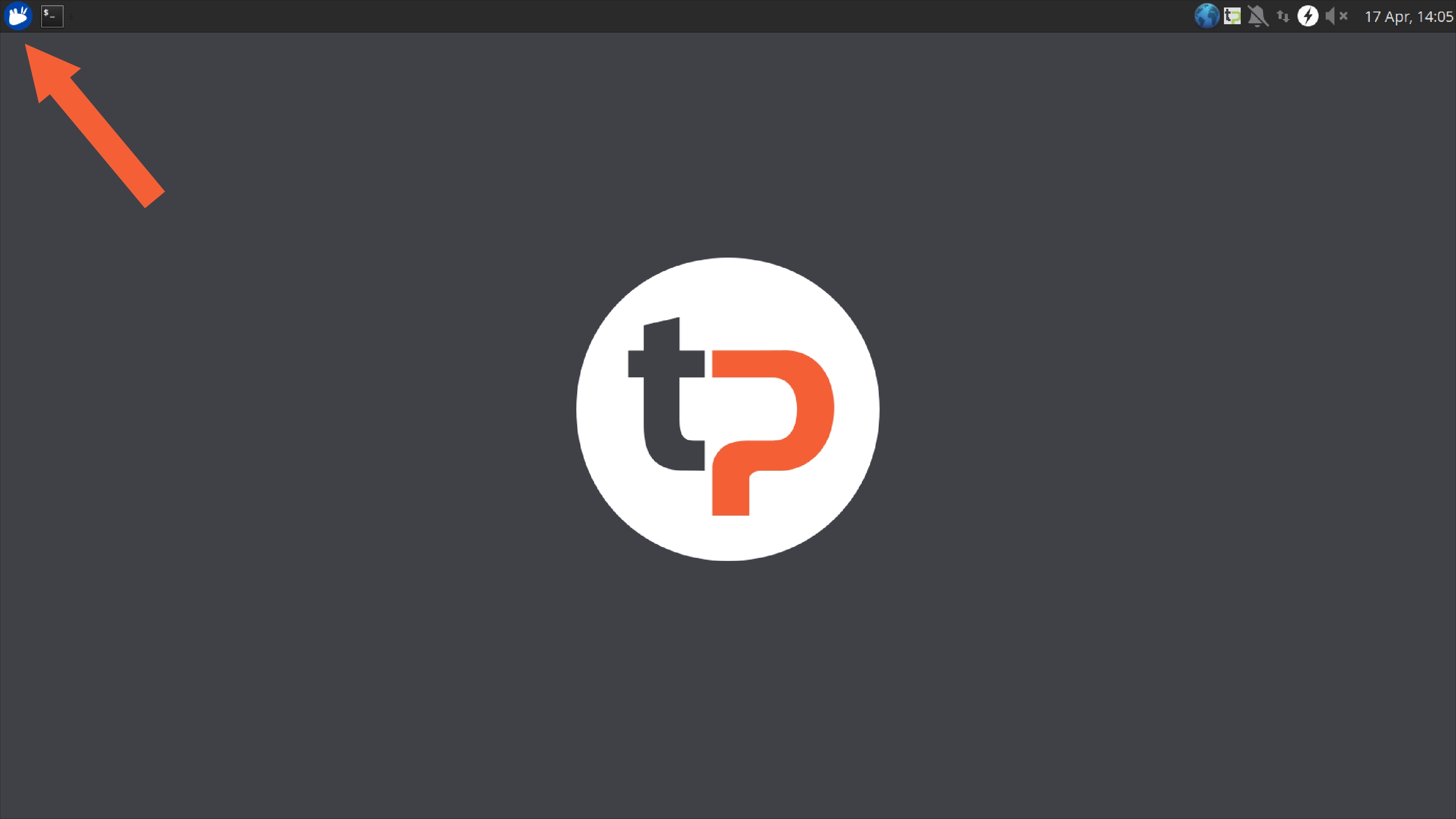
  • First, click on the highlighted icon as shown below.
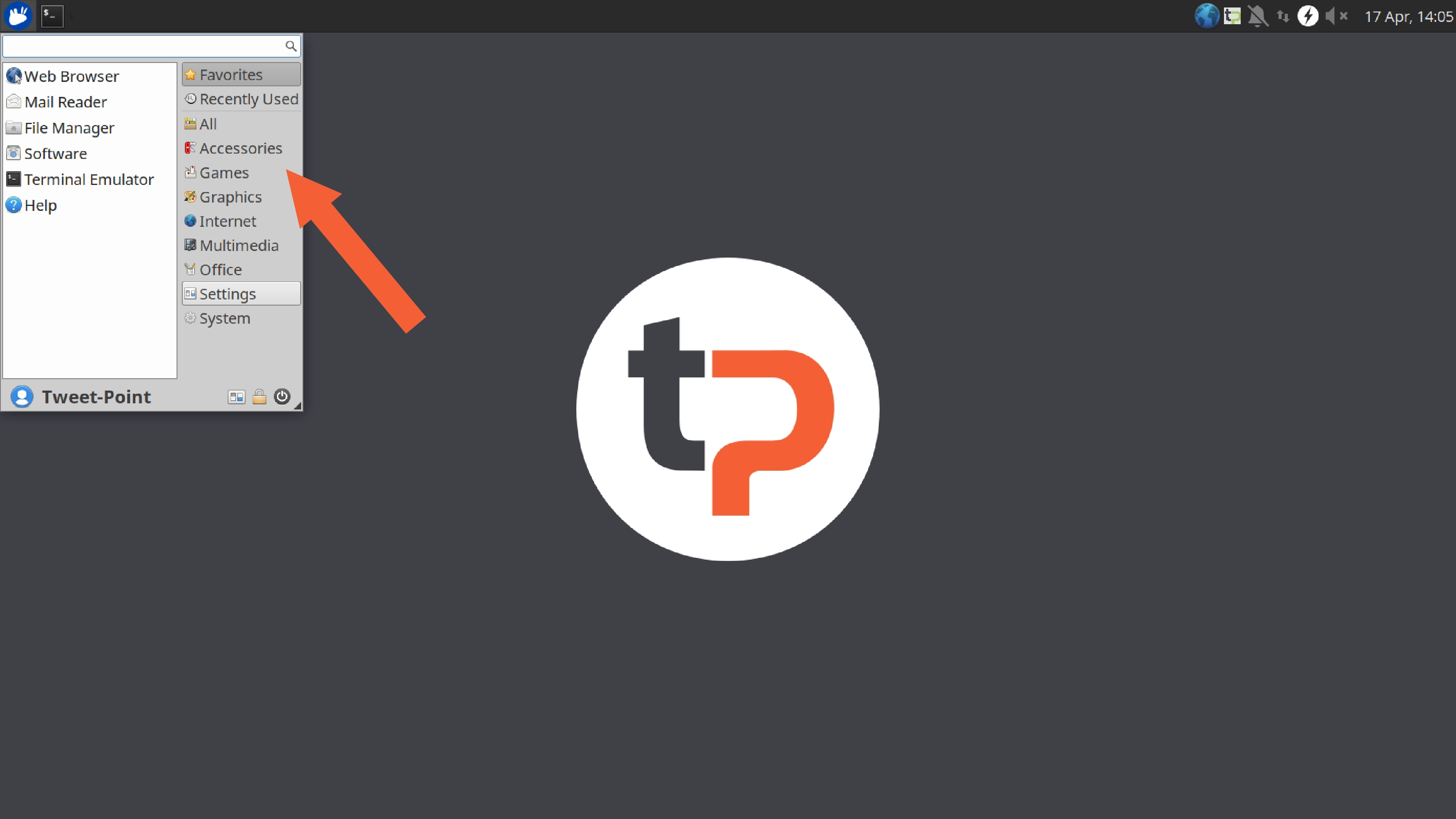
  • Click on Settings.

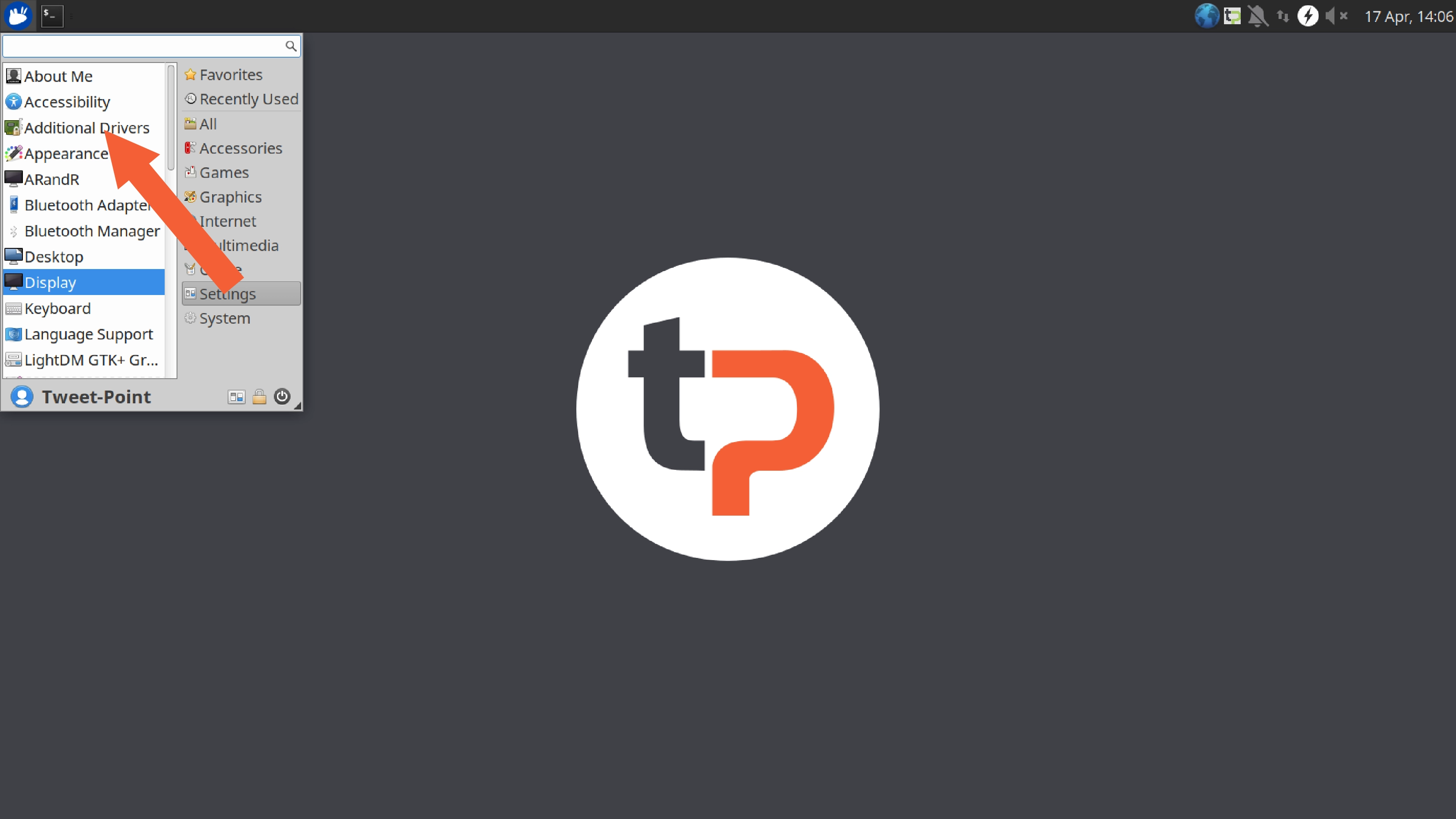
  • Select Display.

  • Select your monitor and set the screen resolution to Full-HD (1920 /* 1080 px).
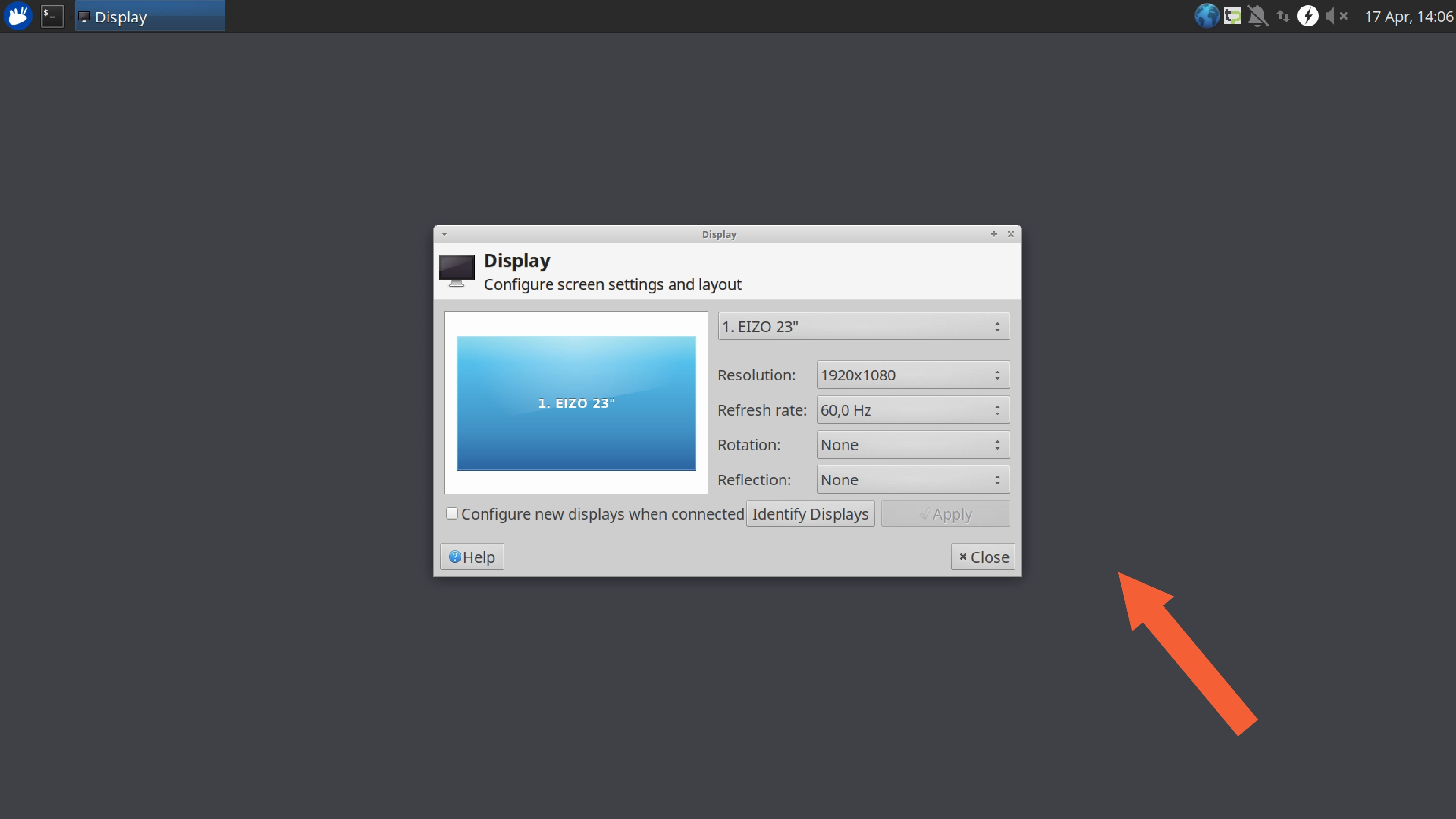
  • Your selected settings will be activated immediately. Press Close afterwards.

Setting the screen orientation

  • Click on the highlighted icon as shown below.

  • Now click on Settings.

  • Then select Display.

  • Select your monitor and now set the orientation to match your monitor or TV display via Rotation.

  • Your selected settings will be active immediately. Afterwards press Close.
Contributors: Daniel Zsebedits, Richard Zowalla, Claude Opus 4.6 (1M context)
Prev
Mini PC setup
Next
Internet connection
Colorful Bytes GmbH ยท Contact